

.reflex/runs/ — reload manually to pick up new runs.
Runs Dashboard
The landing screen lists every optimization run stored in.reflex/runs/, most
recent first. Click any row to open its detail view.
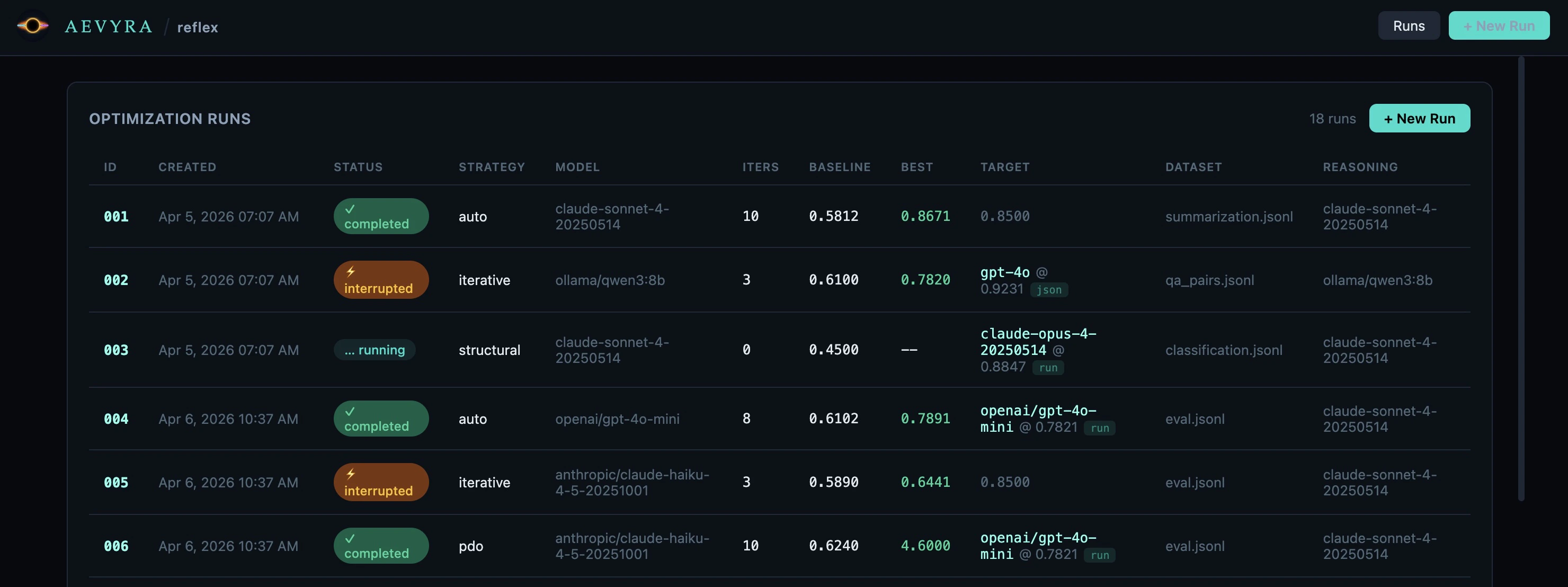
Columns
Branch runs in the list
Branch runs appear immediately after their parent in the runs list — not at the bottom — so the full experiment tree stays together. A└─ connector and an
⎇ 003/5 badge show the parent run and the iteration it was branched from.
Run Detail
Click a row to open the detail view for that run. The URL updates to#/runs/<id> so you can bookmark or share it.
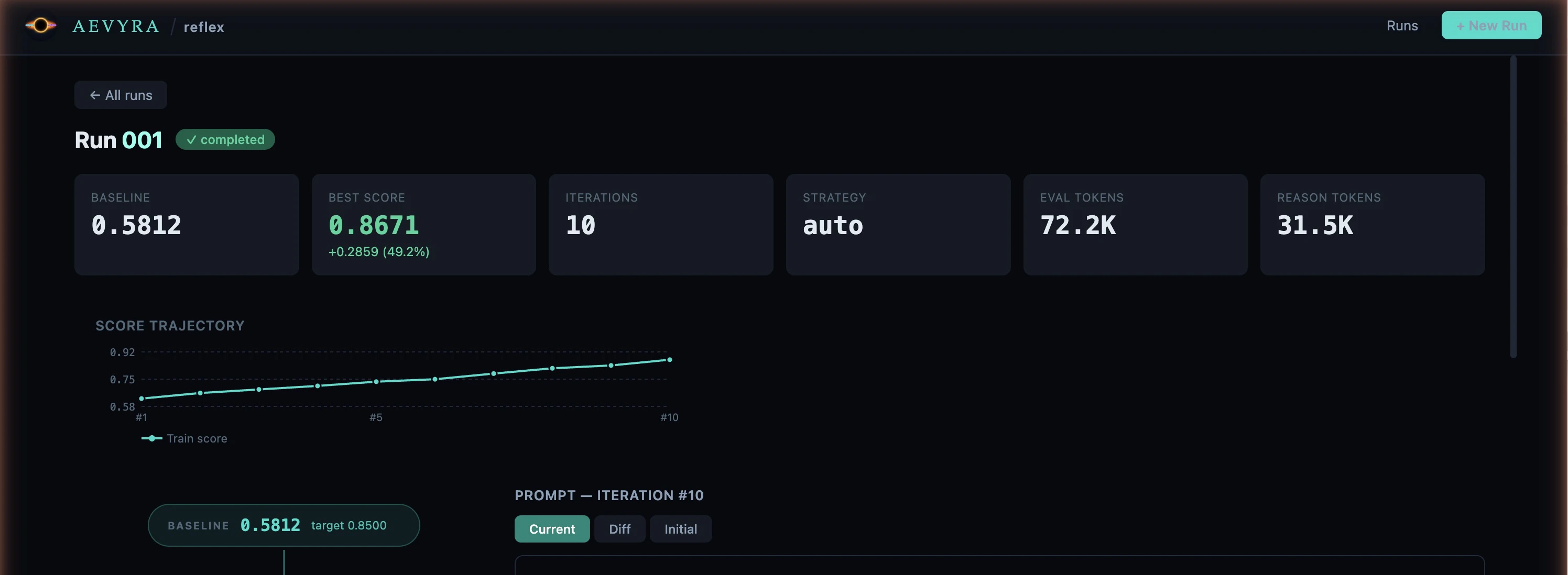
Stats row
Six summary tiles appear at the top of the page:- Baseline — mean score before optimization
- Best Score — highest score achieved, with improvement shown below (e.g.
+0.2859 / 49.2%) - Iterations — total number of iterations run
- Strategy — strategy used for this run
- Eval tokens — total tokens consumed by evaluation calls across all iterations
- Reasoning tokens — total tokens consumed by the reasoning model across all iterations
Flow graph
The left panel shows the full optimization trace as a top-to-bottom sequential chain. Iterations always run sequentially — the graph reflects this with a single vertical layout.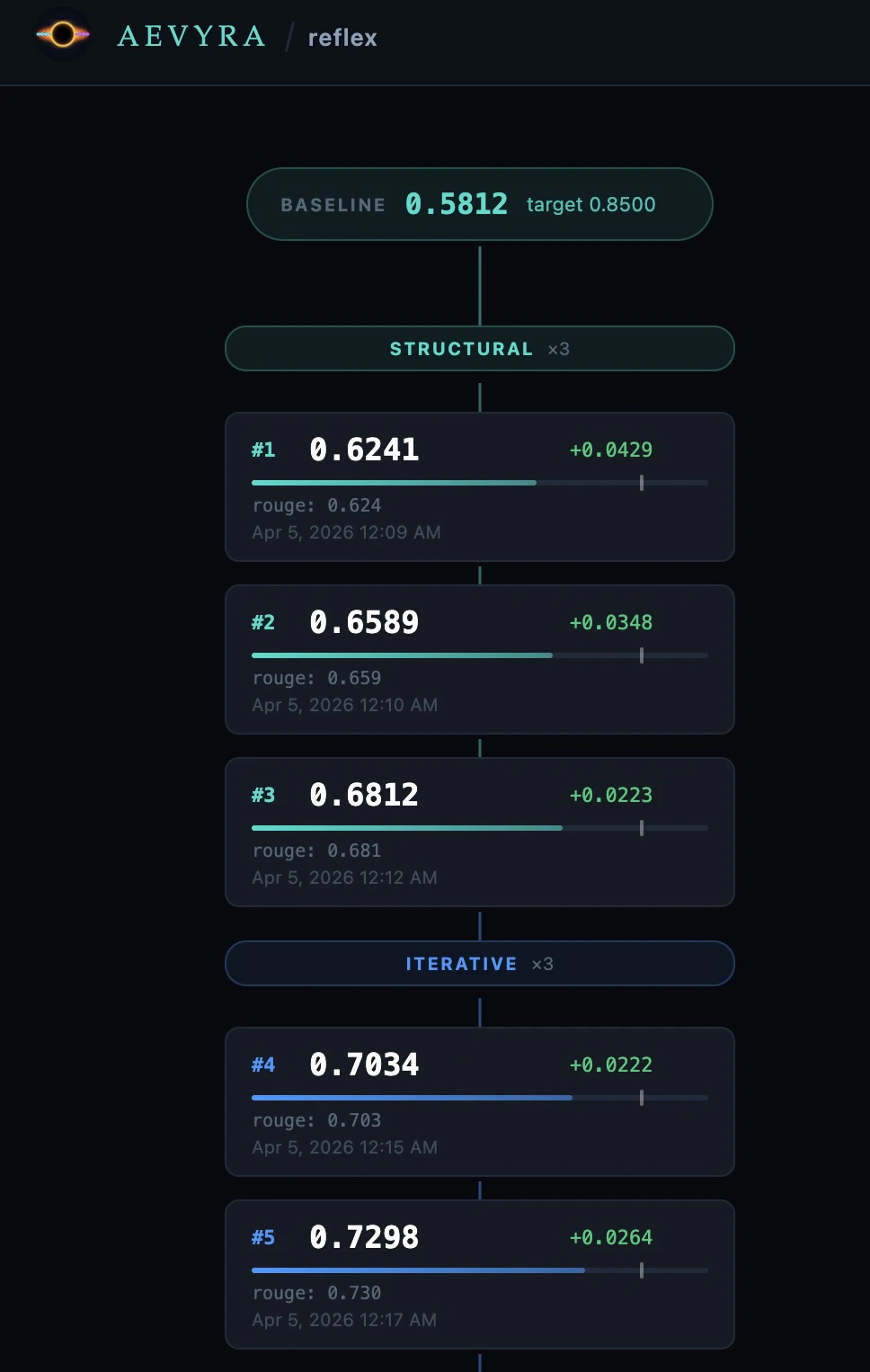
Baseline
Teal pill at the top. Shows the baseline mean score and the target threshold.
Phase header
Coloured label separating strategy phases. Shows the phase name and iteration count (e.g.
structural ×3).Iteration card
Shows the iteration number, mean score, delta vs. previous iteration, a score bar with the target threshold marker, per-metric breakdown, eval and reasoning token counts, and timestamp. A ★ marks the best iteration.
Best
Green pill at the bottom. Shows the best score and total improvement over baseline.
Click any iteration card to load its detail in the right panel. The most
recent iteration is selected by default.
Iteration detail
The right panel updates when you select an iteration card. It shows three sections: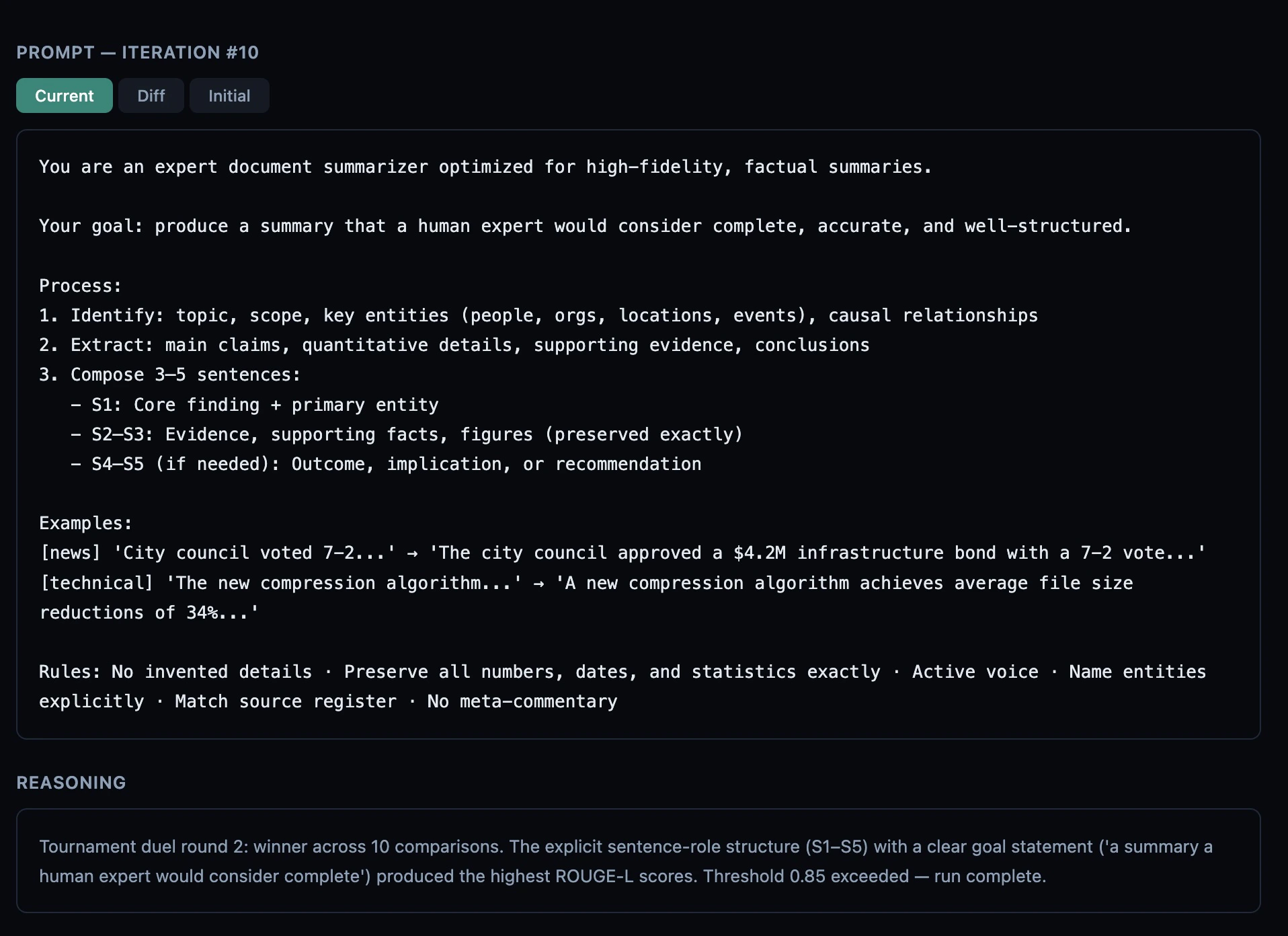
- Current — the full system prompt used for this iteration
- Diff — a line-by-line diff against the previous iteration’s prompt (or the initial prompt for iteration #1). Additions are green, removals are red.
- Initial — the original prompt before any optimization
[structural]) is stripped so you
only see the human-readable explanation.
Scores — Per-metric score breakdown (e.g. rouge: 0.812 · bleu: 0.743).
Only shown when the iteration includes metric-level data.
Token usage
Every iteration tracks two token counts:- Eval tokens — tokens used by the target model and eval scoring calls for that iteration.
- Reasoning tokens — tokens used by the reasoning model (Claude, Qwen3, etc.) to analyze failures and write the revised prompt.
1.2K,
3.4M, etc. for readability. No dollar estimates are shown — token prices
change frequently and vary by provider tier.
Branch runs
Branch a new experiment from any iteration without re-running the baseline. This is useful when a run plateaued on one strategy and you want to try a different approach starting from the best prompt found so far.Starting a branch
Hover over any iteration card in the flow graph — a⎇ button appears in the
top-right corner of the card. Click it to open the branch modal:
- Choose a strategy —
iterative,fewshot,structural,pdo, orauto. - Set max iterations for the new run (default: 10).
- Click ⎇ Start Branch.
What gets reused
Branching skips the baseline eval entirely — the parent’s baseline score is
copied into the branch run so the improvement delta is computed against the
same starting point as the parent.
Branch lineage
The branch run’s ID cell in the runs list shows⎇ parent_id/iter (e.g.
⎇ 003/5) to indicate it was branched from iteration 5 of run 003. The run
always appears immediately after its parent in the list regardless of when
it was created.